Why Should Senior Living Facilities Automate Manual HR and Workforce Processes in 2027?
For senior living administrators and HR directors, workforce management touches nearly every part of the employee experience, from census and acuity -based scheduling to accurate pay. Skilled nursing and post-acute teams also have to prepare quarterly Centers for Medicare & Medicaid Services (CMS) reporting while staffing, compliance, and cost pressures continue to evolve.
Employee compensation averaged 56.2% of total senior living operating budgets in 2026, and 90% of operators reported costs climbing over the prior year. In this environment, every dollar counts, and if you have lots of manual workforce processes, it can cause more overtime, agency usage, and payroll errors, which can negatively affect margins.
Senior living leaders should consider automating scheduling, timekeeping, payroll, HR, and CMS and state government compliance processes and moving them all into one unified senior living human capital management (HCM) and workforce management (WFM) software platform.
Manual Processes Are Creating Operational and Financial Pressure
Manual workforce processes create extra work between teams. Those gaps often show up as overtime, payroll corrections and reporting delays. They also pull experienced employees away from care tasks and higher-value decisions.
CMS reporting changes and tight margins make workforce automation a financial and operational priority for many senior living organizations. In 2027, the cost of waiting is not limited to software inefficiency. When teams rely on disconnected tools, small workforce issues take longer to find and fix. Automation gives administrators and HR leaders a steadier operating foundation, with cleaner data and more time to focus on staff support, retention and care quality.
The pressure of manual processes shows up in a few key areas.
Scheduling Gaps Increase Labor Costs
When schedules are built in spreadsheets or basic tools, leaders can’t see real-time staff availability or whether coverage matches resident acuity, credentials and role requirements. That delay can lead to overtime or last-minute agency calls. Senior living workforce management software gives managers real-time visibility into roles, credentials and staffing needs. Managers can spot gaps days ahead and fill them with qualified employees who aren’t nearing overtime, before agency becomes the only option.
Manual Timekeeping Affects Payroll Accuracy
Shift differentials, overtime calculations and certification-based pay rates make senior care payroll complex. When teams enter time by hand, each pay cycle leaves room for corrections, like a missed night differential or overtime split incorrectly across pay periods. In nursing homes, certified nursing assistant (CNA) turnover reached 42.34% in 2025, the highest of any role. A paycheck that comes up short can give a CNA one more reason to leave. Time and attendance tracking software for senior care captures hours and pay rules automatically, cutting manual entry, so employees are paid correctly the first time.
Disconnected Systems Complicate PBJ Reporting
Payroll-Based Journal reporting is a quarterly CMS requirement under Section 6106 of the Affordable Care Act. Skilled nursing facilities must submit staffing data within 45 days after each quarter ends. CMS transitioned payroll-based journal (PBJ) submissions to iQIES in August 2026. That data must be auditable back to payroll, and CMS uses it to calculate staffing star ratings. When scheduling, timekeeping, payroll and agency hours live in separate systems, teams spend the weeks before each deadline reconciling hours, job codes and contract staff by hand, and any mismatch can affect the facility’s rating. Purpose-built long-term care software connects scheduling, timekeeping and payroll in one system, so staffing data is accurate and ready to submit before each deadline, helping to save time and reduce errors.
Rigid Schedules Make Caregivers Harder to Recruit and Keep
Nearly two-thirds of operators identify CNAs as the hardest role to recruit and keep on staff, followed by registered nurses and licensed practical nurses. Caregivers can find work at almost any community nearby, so how much control they have over their schedule often decides where they go and how long they stay. Assisted living software with mobile self-service scheduling lets staff see open shifts, request swaps and pick up extra hours from their phones, while managers keep control of credentials, overtime and coverage.
Manual Onboarding Slows Hiring
When onboarding runs on paper forms, every new hire waits on paperwork to move from desk to desk, which can delay start dates. Once they do start, often their first shifts include finishing forms instead of getting to know residents and their team. HR automation software brings applicant tracking and onboarding together, so new hires can complete paperwork before day one and start sooner.
Why Senior Care-Specific Automation Matters
Disconnected processes affect more than one department. Open shifts, payroll corrections and credential follow-up can pull leaders away from coaching, retention work and daily employee support. A unified platform brings staffing, payroll, HR and compliance together, helping protect ratings and workforce stability.
General-purpose HR platforms serve many industries. Senior care teams manage PBJ reporting, CMS Five-Star ratings, credential tracking, shift differentials, and census and acuity-based scheduling, which requires software built around senior care-specific workflows. A senior living HCM platform is a unified, cloud-based system designed for these environments. It connects workforce and HR data in one source, giving administrators and HR teams the tools to manage daily operations and compliance together.
1. Real-Time Workforce Visibility Connects Operations
In senior care, one workforce issue rarely stays contained. A CNA calls out, a coworker covers the shift and goes into overtime, a missed punch can delay payroll and a manual adjustment can pull managers back into correction work.
A unified, senior care-specific platform connects scheduling, time and attendance and payroll, so each gets caught as it happens. Schedulers can see who’s approaching overtime before they assign the open shift, missed punches are flagged for a manager to approve before payroll closes, and pay rules for differentials and overtime apply automatically. That visibility gives facility leaders better labor control, and managers spend less time on corrections.
2. Automated PBJ Reporting Fits Into Daily Workflows
Automated PBJ reporting works best when scheduling, time and attendance, and payroll data flow through one integrated platform. Staffing information stays organized throughout the quarter, so teams are not rebuilding reports close to the deadline.
Administrators can generate a submission-ready XML file from payroll records and prepare an iQIES submission in minutes. That capability makes workforce management built for skilled nursing facilities more practical, giving leaders confidence before each quarterly deadline and that staffing data that holds up to audits.
3. Five-Star Rating Visibility for Better Staffing Decisions
CMS uses PBJ staffing data in the nursing home five-star quality rating system, so daily coverage decisions show up in a facility’s public rating. A CMS Five-Star Predictor gives administrators real-time visibility into rating trends across facilities, helping them adjust plans before completing quarterly submissions.
4. Integrated HR Tools Strengthen Hiring and Credential Readiness
When HR tools are integrated with scheduling and payroll, every step from hire to pay moves faster. New caregivers complete tax forms and policy acknowledgments online before day one, so their first shifts are spent with residents and coworkers instead of paperwork. Their licenses and certifications are tracked in the same system schedulers use, so managers see an upcoming expiration weeks ahead, and someone with a lapsed credential is flagged before they’re assigned a shift. For organizations with multiple locations, new hire records, credentials, PTO and benefits stay in one place instead of being re-entered at each community. Employees can check their PTO balance or update benefits from their phones without waiting on HR.
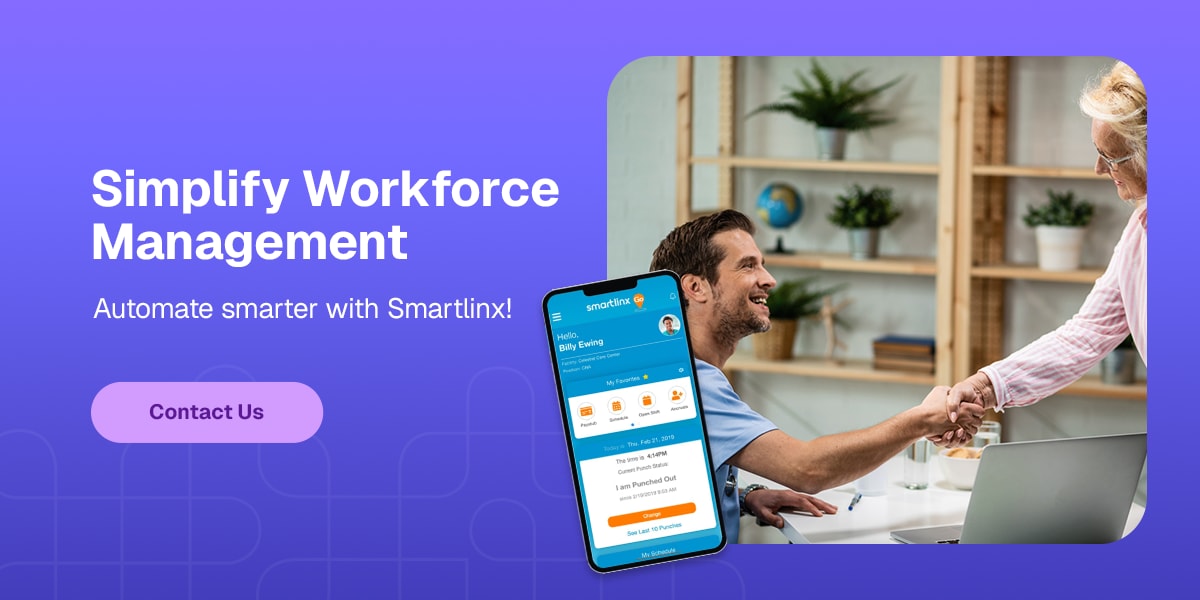
Simplify Workforce Management With Smartlinx
Heading into 2027, senior care leaders are still balancing rising labor costs, hard-to-fill CNA roles and quarterly PBJ deadlines. When scheduling, time, pay and HR data live in one place, those pressures stop compounding. Open shifts get filled from within, paychecks are right the first time, and staffing data is ready long before the quarter closes.
Smartlinx brings core workforce and HR functions into one integrated system, including scheduling, time and attendance, payroll, benefits administration, recruiting and benefits, automated PBJ reporting and the CMS Five-Star Predictor. Senior care facilities use our platform to simplify operations and support confident decisions.
Connect with our team through the contact form. Schedule a demo to see how Smartlinx can simplify workforce management for your organization. Current customers can visit the support portal for product help.